

To redesign your website without losing SEO, audit your current rankings, protect your top-performing pages, maintain URL structures, prioritize user experience, and submit an updated sitemap when you go live.
Many companies improve their websites without risking organic search performance by applying structured technical SEO processes and careful migration planning.
In this guide, we’ll share everything you need to know about effective SEO for website redesign: from pre-launch audit to post-launch monitoring.
Why Redesigning a Website Without SEO Is a Risk
Skipping SEO planning when redesigning your site can cause ranking drops and traffic decline that take months to recover from.
There are simply too many moving parts that can affect indexing, user experience, interlinking, and more. By the time you spot the problem, the damage is done.
Here’s what you can achieve when considering SEO from the start:
- Rankings and traffic that hold through the launch
- A search-friendly architecture that’s easier to crawl and index
- Preserved search equity on the pages that drive your traffic
- Faster load times and Core Web Vitals scores that work in your favor
- A clean, duplicate-free site that search engines trust
“Our project with Lebara.com, a major European B2C telecom brand, is a powerful example. As part of a broader digital ecosystem overhaul, we led a full website redesign focused on a more logical, intuitive customer journey. We carefully preserved and remapped priority URLs, consolidated overlapping content into clear topic hubs, and strengthened internal linking around high‑intent paths. As a result, the launch not only protected existing SEO equity but also led to improved organic visibility, increased non‑branded traffic to key product pages, and higher engagement metrics.”
Olivia G, SEO Specialist at Ninja Promo
Practical Steps for Redesigning Your Website Without Losing SEO
A search-friendly redesigned website comes down to a few key factors, like aligning your teams on SEO requirements, enhancing site architecture, and monitoring performance.
Let’s explore each step in detail.
1. Audit Your Existing SEO Performance Before Any Redesign Work Begins
Start by running a full pre-redesign SEO audit using Google Search Console, Screaming Frog, and tools like Ahrefs or Semrush.
This helps you establish baseline metrics to compare against and fix any potential issues before they transfer to the updated site.
At Ninja Promo, during a pre-redesign audit, we first analyze top-performing pages by organic traffic, pages with the strongest backlink profiles, and Google Search Console data, including queries and click trends. This helps identify pages with the highest SEO value and business impact. We also review indexable pages to ensure they are correctly migrated. This approach helps preserve rankings and maintain traffic stability.
Vadzim Z, Head of SEO at Ninja Promo
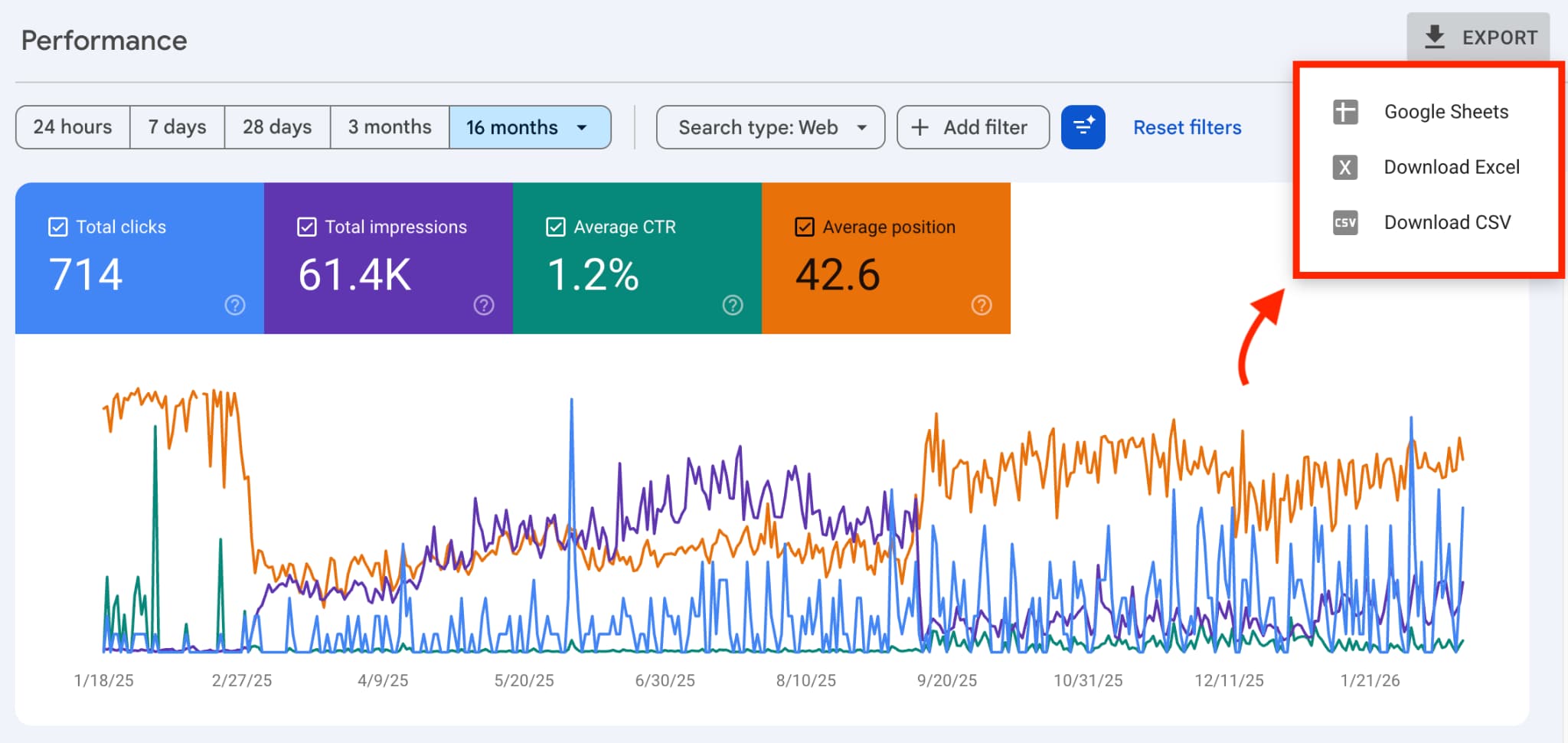
Start by going to Google Search Console → Performance report. Here, you can export organic search data, including traffic, keywords, and pages for each target folder.
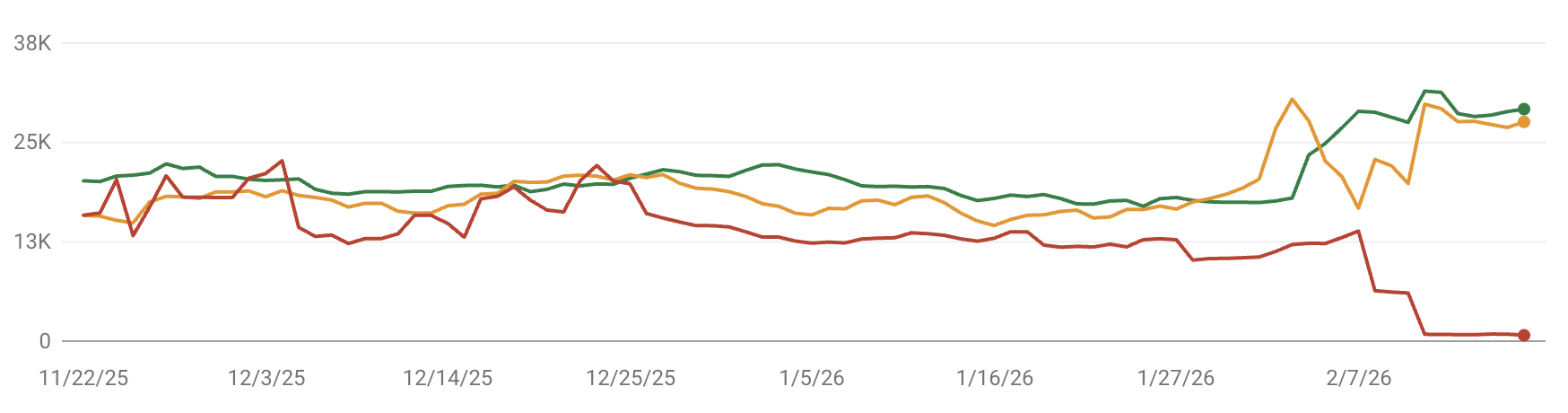
Next, open the Core Web Vitals report. It lets you measure how fast your page loads, how stable the layout is, and how quickly it responds to user clicks.
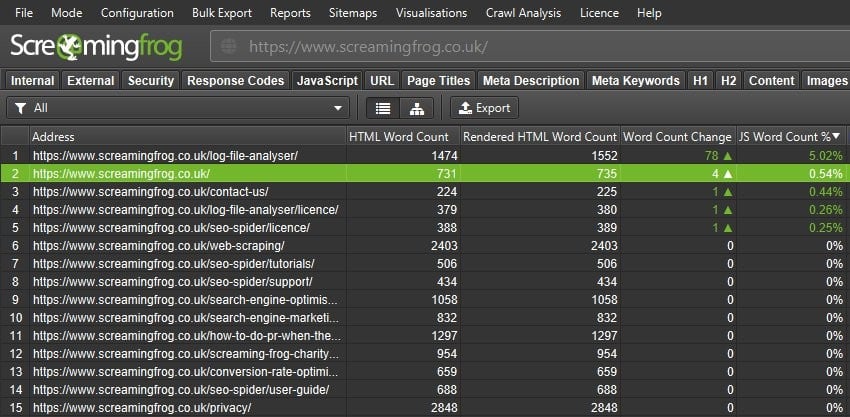
From here, use a tool like Screaming Frog to run a full crawl of your site and check its technical health. This identifies critical technical SEO issues like broken links, redirect chains, duplicate content, and missing meta tags before they carry over to the new site.
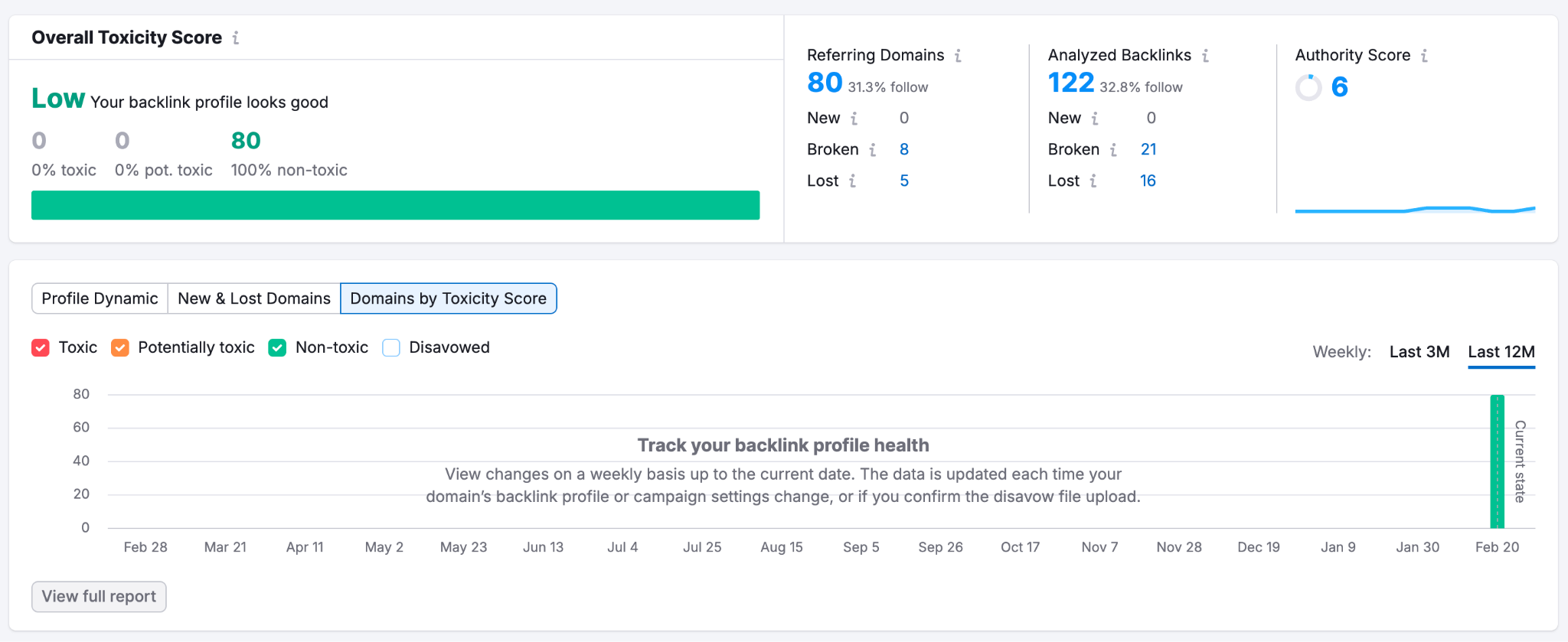
Finally, analyze your current backlink profile using a tool like Semrush’s Backlink Audit.
It’ll help you flag URLs with lots of external links pointing to them and identify issues like spammy backlinks that might be harming your site.
You can then create a spreadsheet to unite the data from your audit and use it to compare performance down the road.
✅ Tip: Learn why is SEO is more important than ever — and why this trend will only keep growing.
2. Identify and Safeguard the Pages That Drive the Most Organic Value
Next, pull a list of your top-performing pages that generate organic traffic, keyword rankings, and conversions — and treat them with special care.
These pages carry the most search equity, and any unplanned change to their URLs, structure, or content might tank your organic visibility.
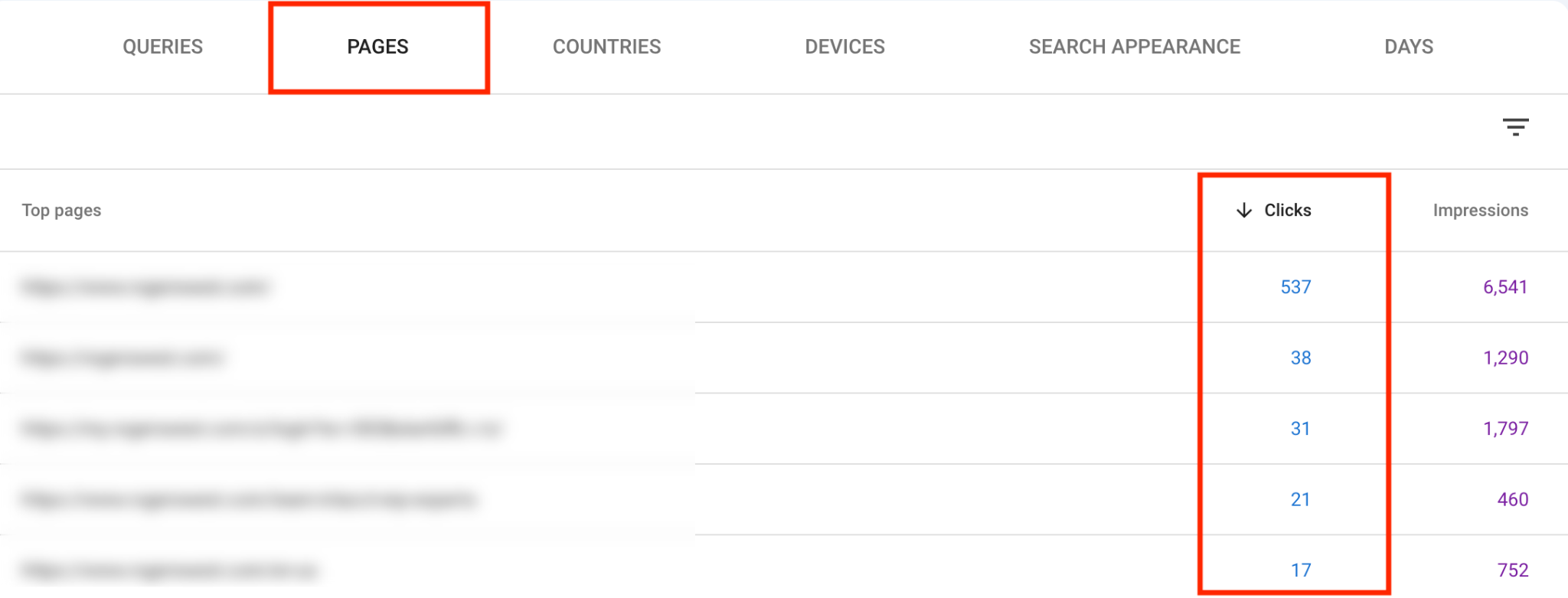
Go to Google Search Console → Performance → Pages, select the data for clicks and average positions, and sort by clicks. Export the top 20-30 URLs (or whichever makes sense based on your traffic volume).
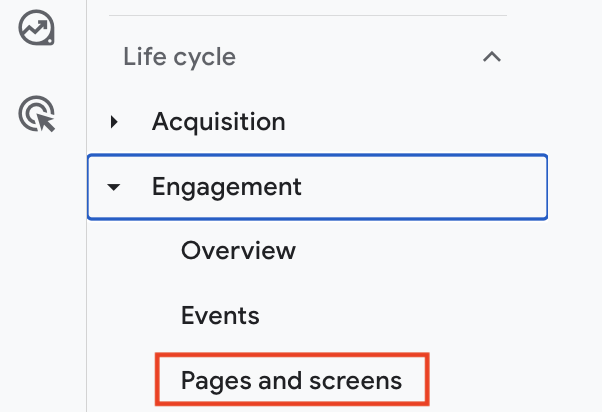
Switch to Google Analytics (GA4) and check conversion data on signups, purchases, or form fills (if you had previously set up tracking). Go to Reports → Engagement → Pages and Screens.
Remember, a page with modest traffic but high conversions is just as critical to protect as a high-traffic one.
Finally, run a Screaming Frog crawl to extract the on-page details for each page — title tags, meta descriptions, H1s, and internal links — and compile everything into your audit spreadsheet.
You can then flag this for your dev and design teams so that they avoid any major changes to these priority pages and consult before altering them.
Building a site from scratch? This guide on SEO for a new website might come in handy.
3. Maintain a Stable URL Structure or Plan Precise 301 Redirects
Keeping your existing URL structure intact is also key to maintaining website SEO when redesigning your site.
If you still have to change some URLs, set up 301 redirects — permanent signals to search engines that a page has moved to a new address. Without them, you might face visibility risks like losing rankings and backlinks pointing to the old URLs.
“The most common mistake is changing the URL structure without a complete 301-redirect map, which leads to a significant drop in traffic and rankings immediately after launch. This usually happens during the launch phase due to haste and insufficient involvement of SEO specialists during the planning stage. As a result, valuable pages lose their authority, since search engines treat them as new URLs.
This underscores the critical importance of involving SEO professionals from the very beginning of a redesign.”
Vadzim Z, Head of SEO at Ninja Promo
Here’s a quick checklist for maintaining URLs during a site redesign:
| Scenario | What to do | Why it matters |
| URL stays the same | No action needed | Search equity and backlinks are fully preserved |
| URL must change | 301 redirect from old to new URL | Passes ~90% of link equity to the new page |
| Page is removed | 301 redirect to the closest relevant page | Prevents dead ends that bleed authority |
| Multiple redirects chained | If you have multiple redirects pointing to each other in a chain (A → B → C), update them to point directly to the final destination (A → C) | Redirect chains slow crawling and dilute equity |
| Redirect points to a 404 | Fix immediately — update it to point to the closest relevant live page instead | A redirect to a dead page passes zero equity |
“In one migration project, preserving high-performing URLs helped maintain rankings and prevented traffic loss during the redesign. We only implemented 301 redirects where structural improvements were necessary, such as consolidating duplicate or low-value pages. The decision was based on organic traffic, backlink equity, and keyword rankings. This approach ensured minimal volatility and allowed the site to grow further after launch.”
Vadzim Z, Head of SEO at Ninja Promo
4. Architect the New Site for Easy Crawling
From here, map out a search-friendly architecture for your redesigned site and make sure that every important page is reachable within three clicks from the homepage.
Why?
Because search engines crawl by following links. If your content is buried deep or poorly connected, you may start losing rankings.

Here’s what you need to get right with website redesign for SEO:
- Logical hierarchy: Organize pages in a clear parent-child structure (Homepage → Categories → Subcategories → Individual pages).
- Internal linking: Link related pages to each other naturally and avoid orphan pages that have no internal links pointing to them.
- Clean navigation: Make sure your main nav reflects your site hierarchy and is intuitive for users.
For example, Ninja Promo’s website offers a clear path for someone looking to hire experts for a specific service or find a solution for their niche:
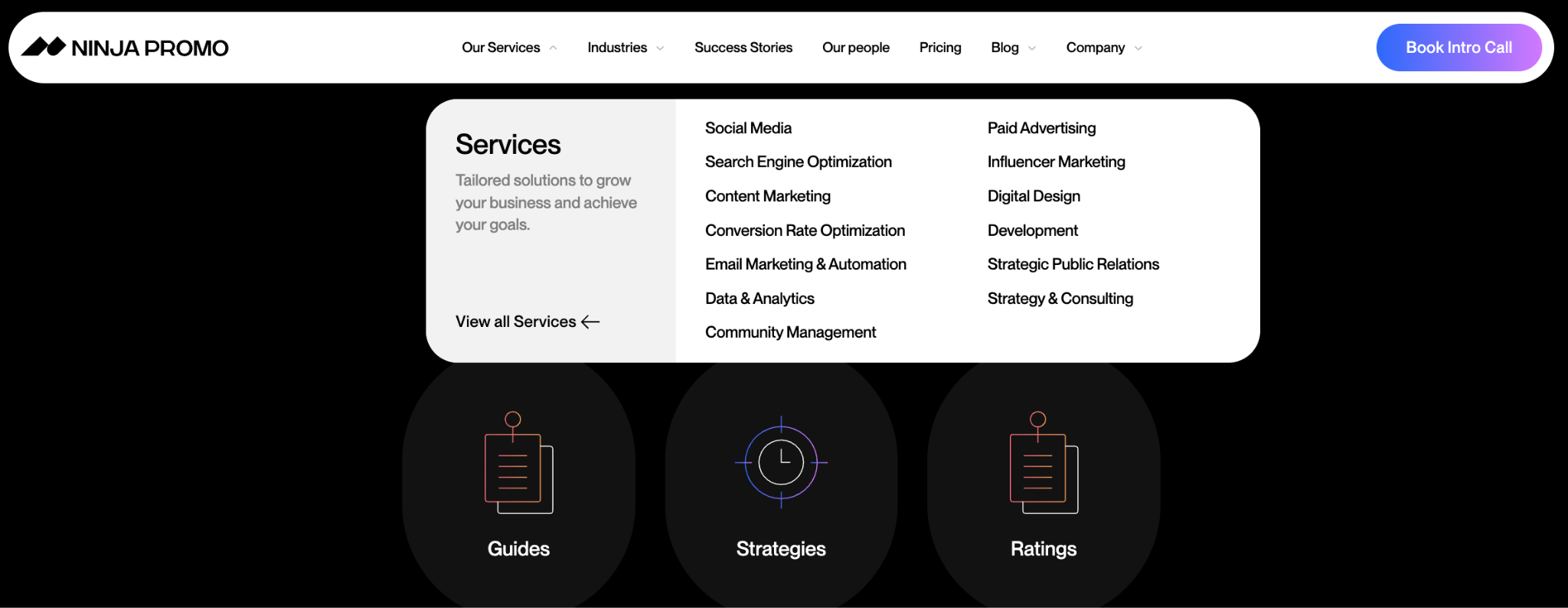
This helps both users and search engines understand where to go and what to expect from each page.

5. Bake Core Web Vitals and Load Speed Into the New Design
Next, consider how performance factors like Core Web Vitals and page speed will be integrated into the site redesign.
This step directly affects your rankings and impacts how users experience your brand and website.
Use this checklist to optimize performance:
| Element | What to do | Why it matters |
| Images | Convert images to WebP format and enable lazy loading — most CMS platforms like WordPress have plugins that do this automatically | Large uncompressed images are the most common cause of slow load times |
| Fonts | Use no more than two font families and choose fonts that come pre-installed on most devices | Every custom font requires an extra file download before the page can display correctly |
| JavaScript | Ask your developer to load non-essential scripts only after the main page content has appeared | Too much JavaScript running at once makes the page feel slow and unresponsive to clicks |
| Hosting | Use a CDN service like Cloudflare — it stores copies of your site on servers around the world and serves each visitor from the closest one | The further the data has to travel from the server to the visitor, the slower the page loads |
| Caching | Enable browser caching so returning visitors load your site from their own device instead of downloading everything again | Pages load much faster for anyone who has visited your site before |
6. Align Designers and Developers on SEO Requirements
Next, walk your designer and development teams through the key SEO rules they need to follow: URL structure best practices, heading hierarchy, internal linking, performance targets, and more.
Explain the value of collaborating to prevent future issues and explore the most common mistakes they need to look out for:
- Leaving the staging site publicly accessible to search engines, which creates duplicate versions of your pages.
- Forgetting to remove noindex tags before launch, which leaves pages that should rank blocked from search engines.
- Not reviewing robots.txt before going live, and accidentally blocking the new site from search crawlers.
- Skipping a pre-launch crawl and publishing the new site with broken links and missing meta tags.
Migrating your entire site to a new CMS or domain? Check out this SEO migration checklist from our experts.
7. Publish and Submit an Updated XML Sitemap Immediately After Launch
As soon as your site goes live, generate an updated XML sitemap and submit it to Google Search Console and Bing Webmaster Tools. This guides search engines on what pages exist on your site and what has changed.
First, generate your sitemap. Many CMS platforms, such as WordPress, can do this automatically or through plugins like Yoast. If yours doesn’t, use Screaming Frog or the free XML Sitemaps Generator.
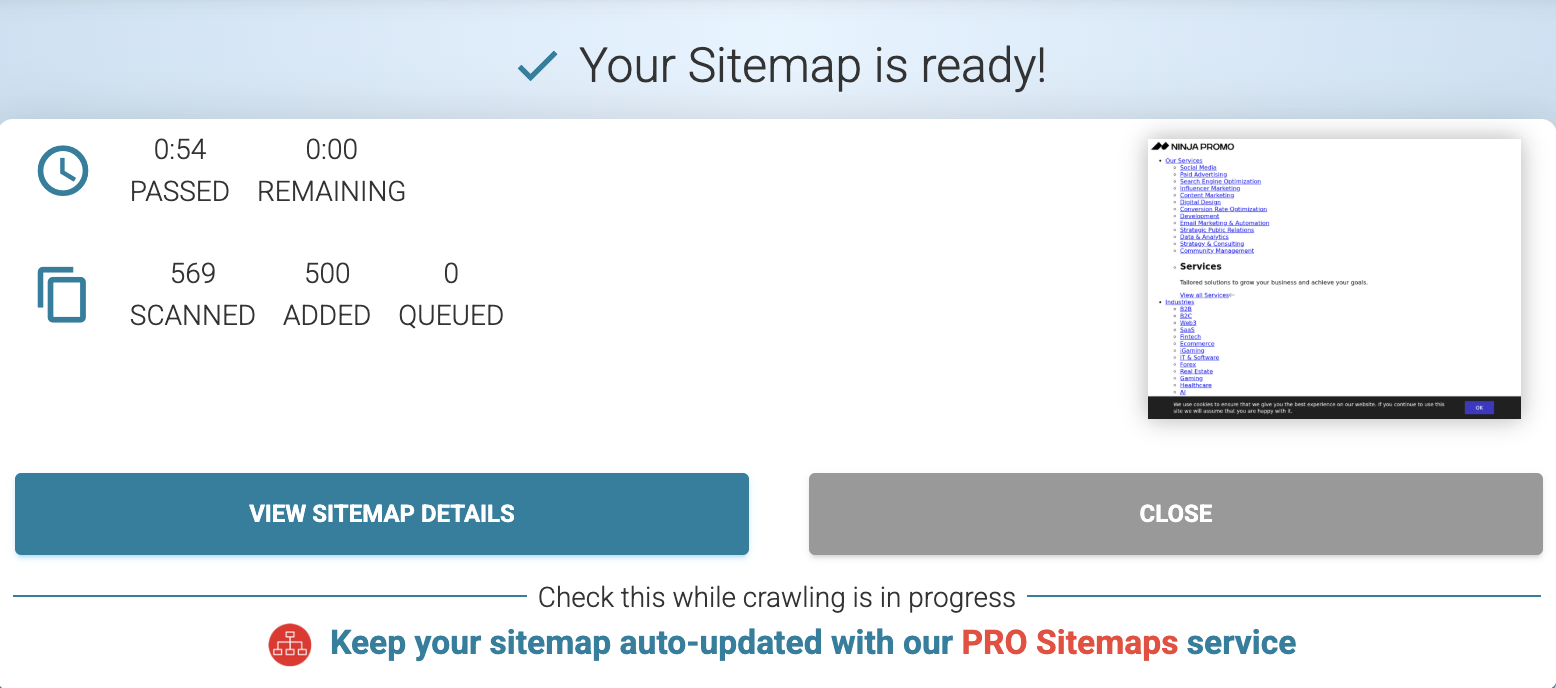
If you’re generating it manually, open the sitemap file in your browser and make sure it only includes the pages you want indexed. Then, upload it to the domain root folder of your website.
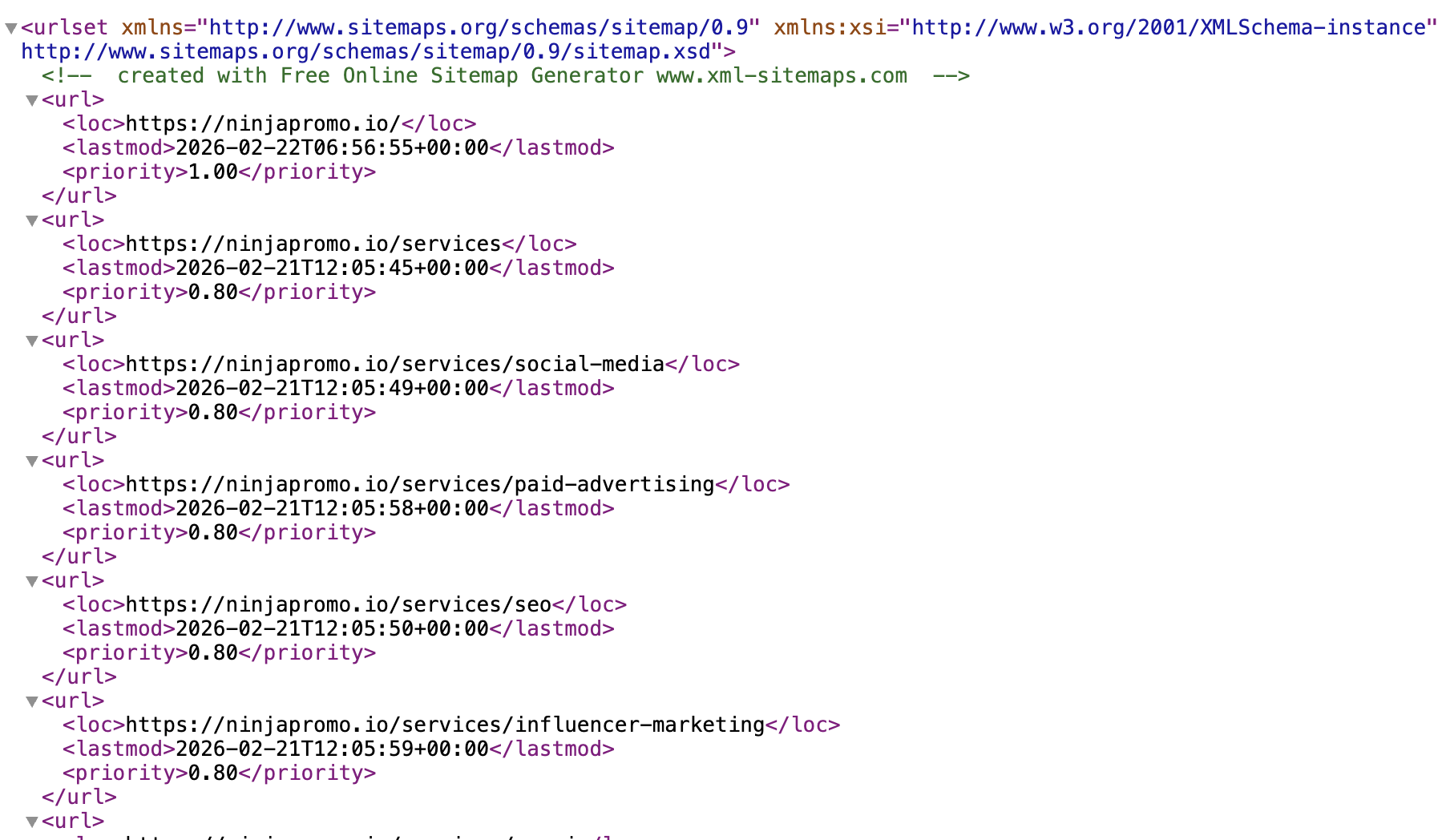
Finally, go to Google Search Console, click Sitemaps, paste your sitemap URL (yoursite.com/sitemap.xml), and hit Submit.

Repeat the same steps in Bing Webmaster Tools, which is worth doing since Bing feeds directly into ChatGPT search results.
8. Make Sure Your Redesigned Site’s Content Is LLM-Friendly
Finally, optimize your updated website and its content for AI search engines like ChatGPT and Gemini.
A redesign can actually be a good opportunity to get it right from the start and set you up for success with LLM SEO.
First, check your site with Semrush’s Site Audit tool to find potential issues and improvement ideas. These can include adding the experimental llm.txt files, improving interlinking, adding schema, and unblocking pages from LLM crawlers.

Next, drill down to the specific issues and look for opportunities to improve your content, boost readability, and structure pages for AI retrieval.

For example, you can add FAQ sections to your top pages, use question-based headings, and make sure each content section opens with a direct answer.

How to Monitor SEO Performance After a Website Redesign
To monitor your post-redesign SEO performance, track key metrics like traffic, compare them with the baseline, and monitor technical aspects like indexing and page speed.
“In the first 7–14 days, we monitor early warning signals our team sees most often: sudden drops in organic traffic or impressions, unusually low indexed pages vs submitted, and spikes in 404/5xx or bad redirects. These signals trigger an immediate response from our team: we validate redirect mappings, check for noindex/canonical mistakes, resubmit updated sitemaps, request indexing for key templates, and track indexation and error reports daily until metrics stabilize.”
Olivia G, SEO Specialist at Ninja Promo
To make sure the redesign is done right, get everyone aligned on the following:
- SEO has to be part of the process from day one
- It’s key to collect and monitor data at every step and protect content that drives business results
- All typical SEO issues that happen after site updates are easy to avoid when teams work together
Here’s a checklist we typically use with our clients:
| What to check | How | When |
| Crawl errors and indexing issues | Google Search Console → Indexing → Pages | Daily for the first 2 weeks. Then, weekly. |
| Keyword rankings | Google Search Console → Performance → Average position. You can also use Semrush’s Organic Research tool. | Weekly |
| 301 redirects working correctly | Screaming Frog — run a crawl and check that all old URLs redirect correctly to the new ones | Within 48 hours of launch |
| Core Web Vitals | Google Search Console → Experience → Core Web Vitals | Weekly for the first month. Then, monthly. |
| Organic traffic | Google Search Console → Performance → Check clicks, impressions, and CTRs | Weekly |
| Page indexing | Google Search Console → Indexing → Pages → check which URLs are indexed | Within 48 hours of launch |
Final Thoughts
Treating SEO and website redesign as two parts of the same process ensures long-term organic growth and protects you against search volatility. Every team — designers, marketers, and devs — has its own KPIs to follow. But declines in traffic and leads will eventually create more work for everyone.